

In the realm of business and collaboration, SharePoint Services stand as a powerful tool that can streamline operations, enhance communication, and facilitate effective teamwork. While the term might sound daunting, SharePoint Services are remarkably straightforward once you grasp their core concepts. In this article, we will unravel the mystery behind SharePoint Services, offering a clear and concise explanation of what they are, their features, and how they can benefit businesses.
What are SharePoint Services?
SharePoint Services, often referred to as Microsoft SharePoint or simply SharePoint, are a suite of web-based collaboration and document management tools developed by Microsoft. These services are designed to empower organizations to create, manage, and share content and information seamlessly across teams and departments.
Key Features of SharePoint Services
To understand SharePoint Services better, let's explore their key features:
Document Management: SharePoint allows organizations to store, organize, and manage documents and files in a centralized and secure manner. It offers version control, ensuring that the latest version of a document is always accessible.
Collaboration: SharePoint promotes collaboration by enabling team members to work together on documents and projects. Multiple users can simultaneously edit documents, making real-time collaboration a breeze.
Intranet and Extranet: Organizations can create their intranet and extranet portals using SharePoint. This facilitates internal communication and extends collaboration to external partners, clients, or suppliers.
Workflow Automation: SharePoint includes workflow capabilities that allow organizations to automate business processes, such as approval workflows, document review, and task assignments.
Customization: SharePoint can be customized to align with the organization's specific needs. This includes custom lists, libraries, and web parts to tailor the platform to your unique requirements.
Security: SharePoint offers robust security features, including user authentication, access controls, and encryption, ensuring that sensitive information is protected.
Search and Discovery: SharePoint's powerful search capabilities make it easy to find documents and information quickly, even in large repositories.
Integration: SharePoint seamlessly integrates with other Microsoft 365 applications, such as Microsoft Teams, OneDrive, and Outlook, enhancing productivity and collaboration.
How SharePoint Services Benefit Businesses
Now that we've covered what SharePoint Services are and their key features, let's explore the tangible benefits they offer to businesses:
Efficient Document Management: SharePoint simplifies document storage and retrieval, reducing the time employees spend searching for files.
Enhanced Collaboration: Teams can collaborate more effectively, even when working remotely, thanks to real-time co-authoring and communication tools.
Improved Productivity: Workflow automation streamlines processes, reducing manual tasks and boosting overall productivity.
Centralized Information: SharePoint provides a central location for storing and accessing information, reducing data silos and improving data consistency.
Scalability: SharePoint can scale with your business as it grows, accommodating the increasing volume of documents and users.
Cost Savings: By streamlining operations and reducing the need for physical document storage, SharePoint can lead to cost savings.
Security and Compliance: Robust security features and compliance capabilities help organizations meet regulatory requirements and protect sensitive data.
.jpg)
Enhanced Communication: Intranet and collaboration features facilitate communication and information sharing across the organization.
Integration with Microsoft 365: SharePoint seamlessly integrates with other Microsoft 365 tools, creating a unified and efficient digital workspace.
Practical Use Cases for SharePoint Services
SharePoint Services are versatile and can be applied in various scenarios:
Document Libraries: Create document libraries for storing and managing files, making it easy to access and collaborate on documents.
Project Management: Use SharePoint for project management, including task assignments, timelines, and progress tracking.
Intranet and Employee Portals: Develop intranet sites for internal communication and employee engagement.
Knowledge Management: Build a knowledge base where employees can access important information and resources.
Collaborative Workspaces: SharePoint is ideal for creating collaborative workspaces where teams can work on projects and share resources.
Document Approval Workflows: Automate document approval processes, such as expense reports and contract reviews.
Challenges and Considerations
While SharePoint Services offer numerous benefits, there are challenges to consider:
Implementation Complexity: Proper setup and configuration may require expertise, especially for larger organizations.
User Adoption: Encouraging employees to embrace SharePoint may require training and change management efforts.
Customization Efforts: Extensive customization can increase implementation time and costs.
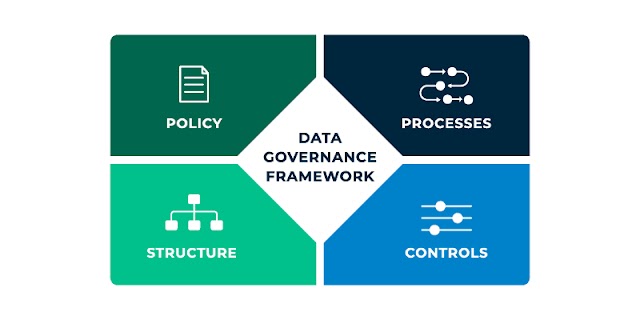
Data Governance: Effective data governance practices are crucial to prevent data sprawl and ensure data quality.
Conclusion
SharePoint Services, despite their initial complexity, offer a straightforward solution to various organizational challenges. By simplifying document management, enhancing collaboration, and streamlining workflows, SharePoint Services contribute to improved efficiency, productivity, and communication within businesses. Whether you're a small team or a large enterprise, SharePoint can be tailored to meet your unique needs, making it a valuable asset for organizations seeking to optimize their digital workspace with eventbookingusa.


.jpg)
.jpg&description=Demystifying SharePoint Services: A Simplified Explanation)
0 Comments